Skip to content Skip to footer


Let’s be real — just posting a listing on Zillow or Realtor.com isn’t enough anymore. Buyers are scrolling fast, filtering hard, and making snap judgments in seconds. If your listing isn’t optimized, it’s basically invisible. Here’s how to fix that.

STEP: ONE

Photos Are Everything. No, Really.

This is where most listings win or lose. Buyers decide within the first few seconds whether they’ll even read your description — and that decision is almost entirely based on photos.

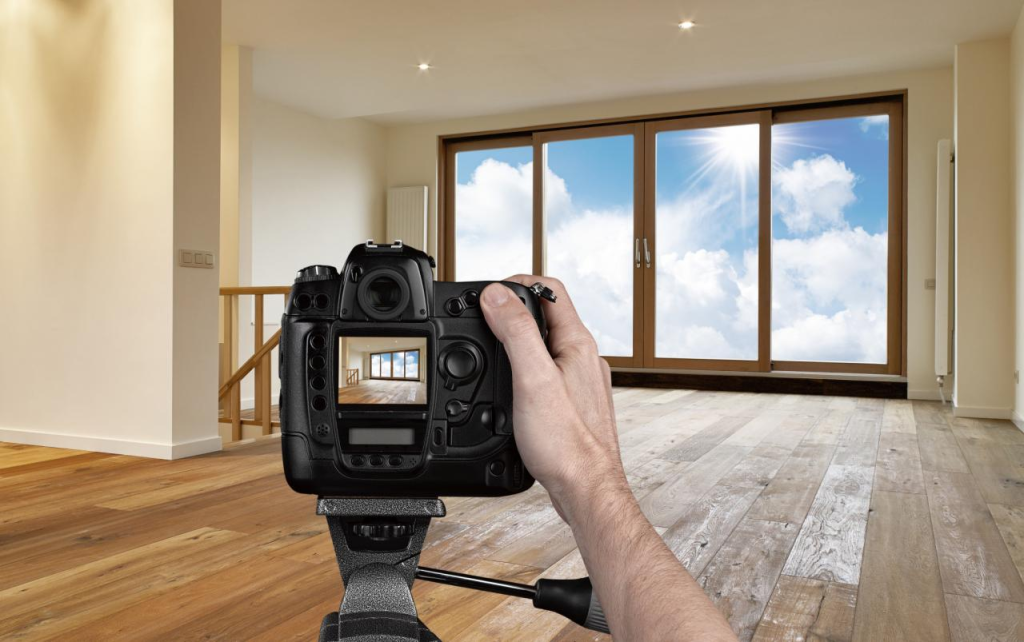
Professional photography isn’t optional anymore. It’s table stakes. But even beyond hiring a pro, here’s what actually makes photos perform well on these platforms:

real estate PHOTOGRAPHY

Photo Checklist:

  • Lead with your best shot — ideally the exterior or the most impressive interior space. Don’t save the best for last.
  • Shoot with natural light whenever possible. Open all blinds, schedule the shoot mid-morning or mid-afternoon.
  • Declutter ruthlessly before the shoot. Buyers can’t visualize themselves in a cluttered home.
  • Upload the maximum number of photos both platforms allow. More photos = more time on page = better algorithmic ranking.
  • Include a video walkthrough or 3D tour if you can. Listings with virtual tours get significantly more saves.

Zillow in particular ranks listings higher in search results when buyers spend more time on them. Great photos keep people scrolling — which tells the algorithm your listing is worth showing to more people.

ZILLOW MARKETS

STEP: TWO

Write a Description That Actually Converts

Most listing descriptions are painfully generic. “Beautiful home in a great neighborhood!” tells buyers nothing they couldn’t figure out from the photos. You have a small window of attention — use it wisely.

The goal isn’t to describe the house. It’s to help buyers picture their life in it.

Lead with the most compelling detail — not “4 bedrooms, 2 baths.” Every listing has that. Lead with what’s unique: the original hardwood floors, the chef’s kitchen, the mountain views from the primary suite.

Then move into lifestyle framing. Where are the best coffee shops nearby? What’s the commute like? Is the backyard made for summer dinners? You’re not just selling square footage — you’re selling a way of living.

Description Do’s & Don’ts:

  • Do: Open with your strongest, most specific selling point.
  • Do: Mention neighborhood highlights — walkability, schools, proximity to parks or transit.
  • Do: Include recent upgrades (new HVAC, roof, kitchen remodel) with approximate dates.
  • Don’t: Use all-caps or excessive punctuation. It looks desperate and reduces credibility.
  • Don’t: Repeat what’s already in the data fields (beds, baths, sq ft). Use that space for storytelling.
  • Don’t: Use vague words like “cozy,” “charming,” or “must-see.” Be specific instead.

STEP: THREE

Nail Your Pricing Strategy (It Affects Search Visibility)

Here’s something most sellers don’t know: how you price your home directly affects how many buyers even see it. Both Zillow and Realtor.com let buyers filter by price range — and most buyers search in round-number brackets like $300K–$400K or $500K–$600K.

Pricing at $305,000 instead of $299,000 means you miss every buyer searching under $300K. Pricing at $401,000 instead of $399,900 means you miss the entire $300K–$400K search bracket. This sounds obvious, but it’s routinely overlooked.

Price reductions also reset your listing’s “freshness” on these platforms, which can give you a temporary boost in search visibility. If you’re not getting traffic, a small strategic reduction can be worth more than its face value in terms of exposure.

STEP: FOUR

Claim & Complete Your Profiles

If you’re an agent, this one is non-negotiable. Both Zillow (Premier Agent) and Realtor.com offer agent profile pages — and a sparse or unclaimed profile kills your credibility before a buyer even considers reaching out.

Profile Optimization Checklist:

  • Use a high-quality, professional headshot — not a casual selfie. Buyers are making a trust decision.
  • Fill out every field: bio, specialties, service areas, languages spoken, years of experience.
  • Actively collect reviews. A listing agent with 3 reviews versus one with 85 reviews? Buyers notice.
  • On Zillow, respond to inquiries within minutes when possible — response time is shown publicly and affects your ranking.
  • Keep your active listings linked and up to date. Stale or inaccurate listings are a red flag to buyers.

STEP: FIVE

Leverage Paid Features Strategically

Both platforms offer paid promotion options, and used well, they can meaningfully increase your listing’s exposure — especially in competitive markets.

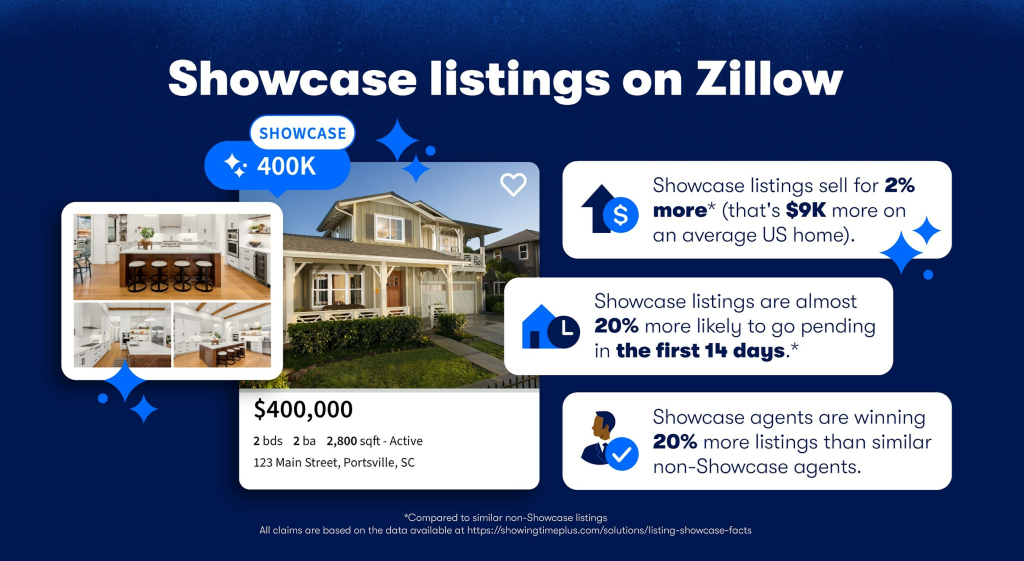
On Zillow, the “Listing Showcase” product places your home at the top of search results for specific zip codes and search parameters. It’s not cheap, but in a high-competition market with a well-priced home and great photos, it can dramatically cut days-on-market.

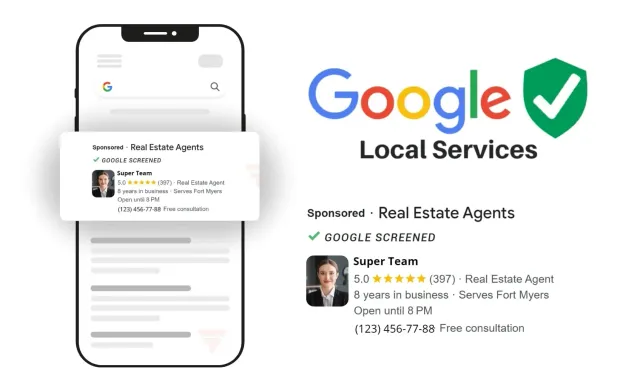
Realtor.com’s “Listing Enhancements” package prioritizes your listing in search and adds a “Featured” badge that draws the eye. They also offer “Local Expert” ad placements that keep your listings visible to buyers searching specific neighborhoods.

Paid features amplify a good listing. They can’t save a bad one. Get the fundamentals right first.

The key is timing. Paid boosts are most valuable in the first week or two after listing, when organic momentum is highest. Buying promotion for a stale listing is usually a waste of money — better to reassess the fundamentals first.

STEP: SIX

Monitor, Respond & Adjust

Optimization isn’t a one-time thing. Both platforms give you analytics — use them. Zillow’s seller dashboard shows how many views, saves, and contact requests your listing is getting. If views are high but saves are low, your price or photos are the issue. If views are low, you’ve got a visibility problem.

Respond to every inquiry quickly. Zillow tracks and publicly displays response time for agents, and buyers will skip right past an agent with a “usually responds in a few days” badge when another says “usually responds in minutes.”

Weekly Listing Health Check:

  • Check view count — is it trending up, flat, or dropping off?
  • Check save-to-view ratio. A ratio under 5% suggests photos or price need attention.
  • Respond to any new questions or reviews within 24 hours.
  • Verify that all data fields (lot size, school district, HOA fees) are accurate.
  • Consider refreshing the description or swapping in a new lead photo if engagement is dropping.

The Bottom Line

Great listings on Zillow and Realtor.com aren’t accidents. They’re the result of thoughtful photography, honest and compelling copy, smart pricing, and consistent attention after the listing goes live. Do the work upfront, stay responsive, and let the platforms do their job of connecting you with the right buyers.

zillow and realtor.com

How to Actually Get Your Listing Seen on Zillow & Realtor.com

Let’s be real — just posting a listing on Zillow or Realtor.com isn’t enough anymore. Buyers are scrolling fast, filtering hard, and making snap judgments in seconds. If your listing isn’t optimized, it’s basically invisible. Here’s how to fix that. STEP: ONE Photos Are Everything. No, Really. This is where most listings win or lose.…

Read More

n8n automation

Here Are 10 Ways You Can Use n8n to Automate Your Real Estate Business

If you’re still manually moving leads between systems, sending follow-up emails one by one, or copying data into spreadsheets… you’re working way harder than you need to. Automation isn’t just for big corporations anymore. With tools like n8n, real estate investors, agents, and wholesalers can build powerful automations that run quietly in the background—saving time,…

Read More

Google Local Services Ads (LSA) for Your Real Estate Business

How to Use Google Local Services Ads (LSA) for Your Real Estate Business

If you’re a real estate investor, agent, or home buyer, you already know leads are the lifeblood of your business. The challenge? Finding motivated sellers who are ready to talk right now—without burning through huge ad budgets. That’s where Google Local Services Ads (LSA) come in. These ads place your business at the very top…

Read More

ai robot creating website on laptop

AI-Created High-Converting Website Design: How Smart Automation Builds Better Websites

Your website has one job: turn visitors into customers. Looks matter—but conversions matter more. Today, artificial intelligence is changing how websites are designed, structured, and optimized. Instead of guessing what works, AI can analyze real user behavior and help create sites that are built specifically to convert. Let’s talk about how AI-created website design works,…

Read More

seo

What’s the Difference Between Standard SEO and Local SEO? (And Why It Matters for Your Business)

If you’ve ever searched “best pizza near me” and then wondered how that business ended up at the top, you’ve already seen Local SEO in action. At the same time, when you search something broader like “how to start a blog” and click one of the top results, that’s Standard SEO doing its job. Both…

Read More

go high level logo

In-Depth Study: Lead Generation and Automation with GoHighLevel

Running a business today can feel like standing in the middle of a busy intersection, trying to wave down every potential lead as they speed by. You’ve got ads running, a website up, social media posts going out, and still… leads slip through the cracks. Follow-ups get missed. Messages sit unanswered. And before you know…

Read More

robots making calls

AI Lead Generation: Automate Pre-foreclosure Leads and Sales Outreach

Let’s be honest — chasing leads manually in today’s market feels a lot like trying to catch rain with a bucket full of holes. You’re juggling spreadsheets, skipping tracing lists, half-working automations, and follow-ups that somehow always fall through the cracks. Meanwhile, the best opportunities — like pre-foreclosure homeowners who just entered the public record…

Read More